
Give every Amiga its own identity
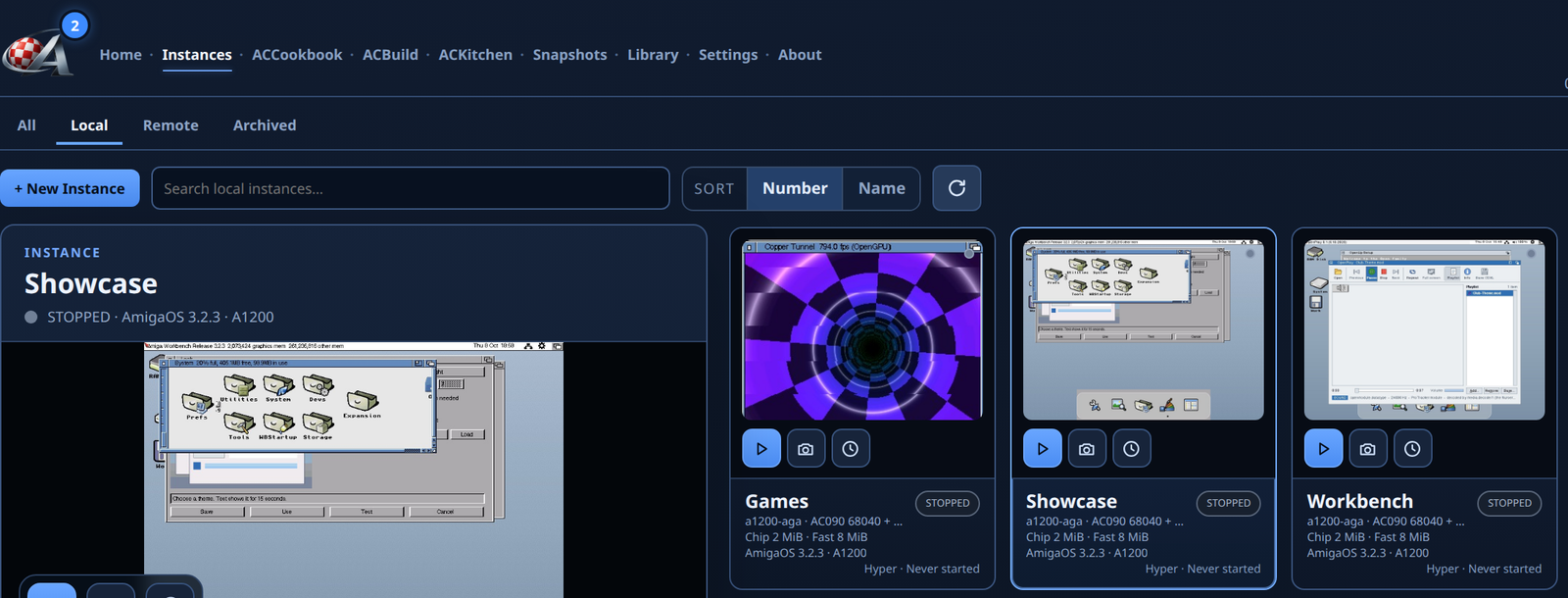
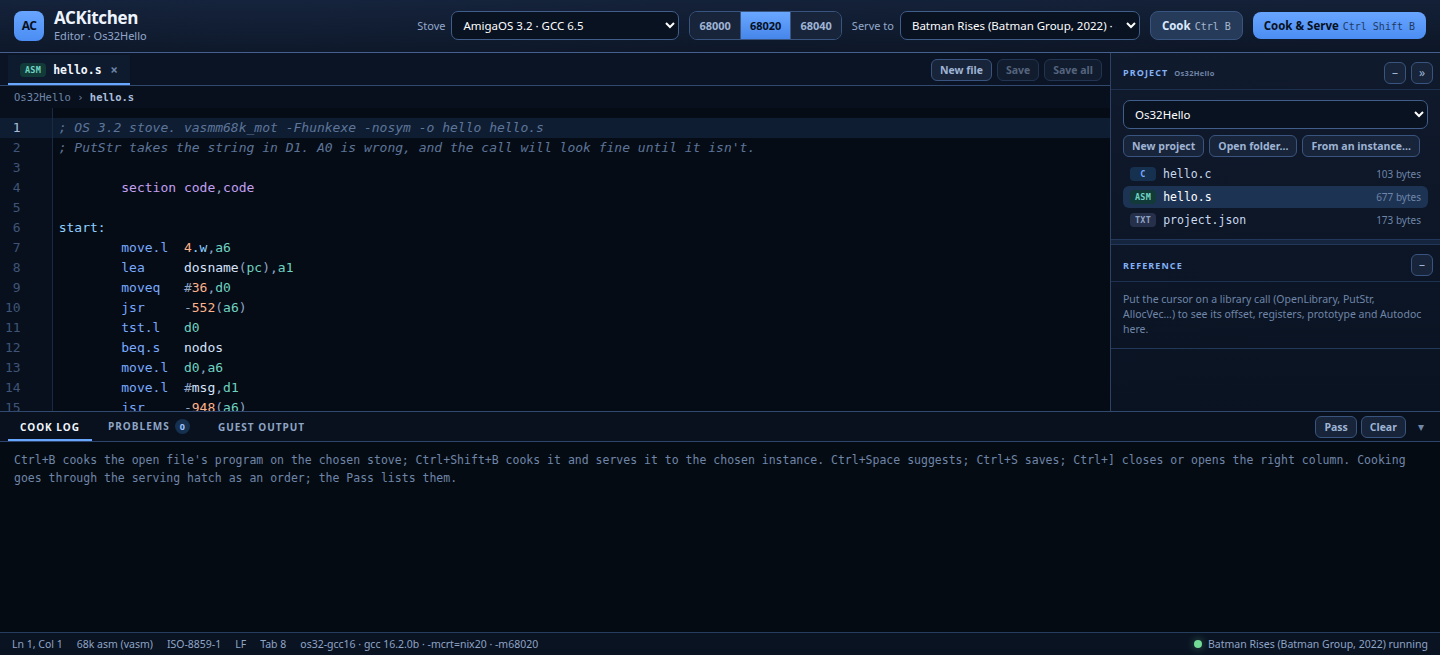
Named machines with independent hardware settings, storage and windows. Start, open, shut down, inspect or archive without mixing one instance's files with another's.
Every Amiga has a beginning. Now it has a Cradle.
A control room for complete Amiga machines: create them from recipes, start them in their own windows, inspect their hardware, protect their system disks and build software against them. Borrowing Docker's best habit—repeatability—without pretending an Amiga is just another Linux container.
A developing product with working capabilities and a clearly marked engineering roadmap.
Whether you have one Workbench or a test lab full of configurations, Cradle manages each machine as a deliberate environment, rather than a collection of anonymous emulator launch commands.
Named machines with independent hardware settings, storage and windows. Start, open, shut down, inspect or archive without mixing one instance's files with another's.
Recipes describe machine type, firmware, OS, memory, devices, media and first-start choices. Build a familiar AmigaOS 3.2.3 or AROS environment from the right ingredients.
AC090 processor choices, RTG graphics, networking, floppy and optical drives, keyboard and gamepad mapping, all part of a machine you can inspect and adjust. The screen shows Fit, Sharp or Native: in Native, the Workbench grows to the window, every Amiga pixel drawn as whole screen pixels. The Amiga takes the host's time zone, summer time included.
Make and schedule DH0 snapshots while an instance is stopped. Restore with an additional safety snapshot and keep an archive trail rather than gambling with your setup.
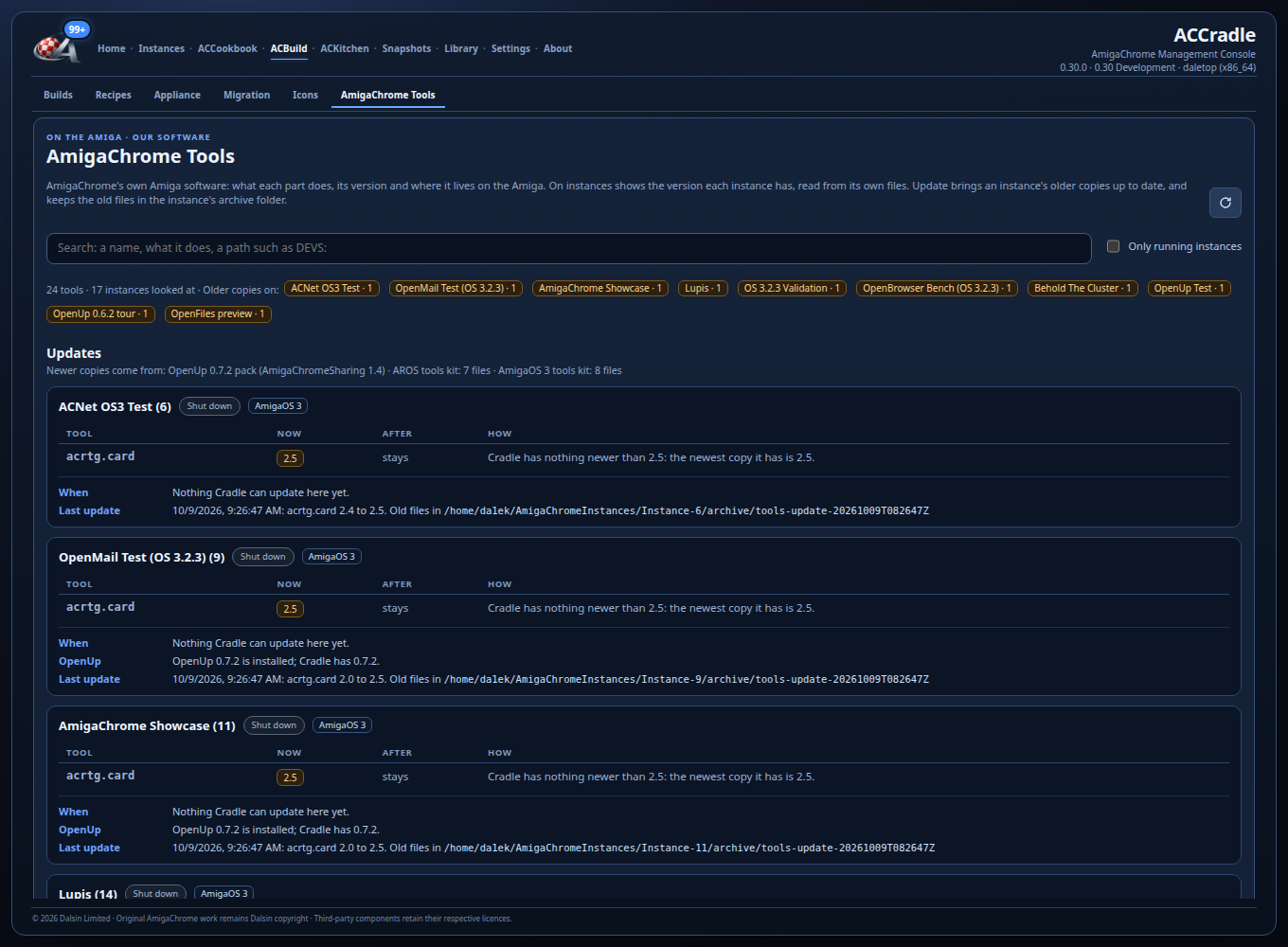
Update AmigaChrome tools across instances, queue changes safely for running systems, retain old copies and collect diagnostic bundles with screenshots, logs and build identity.
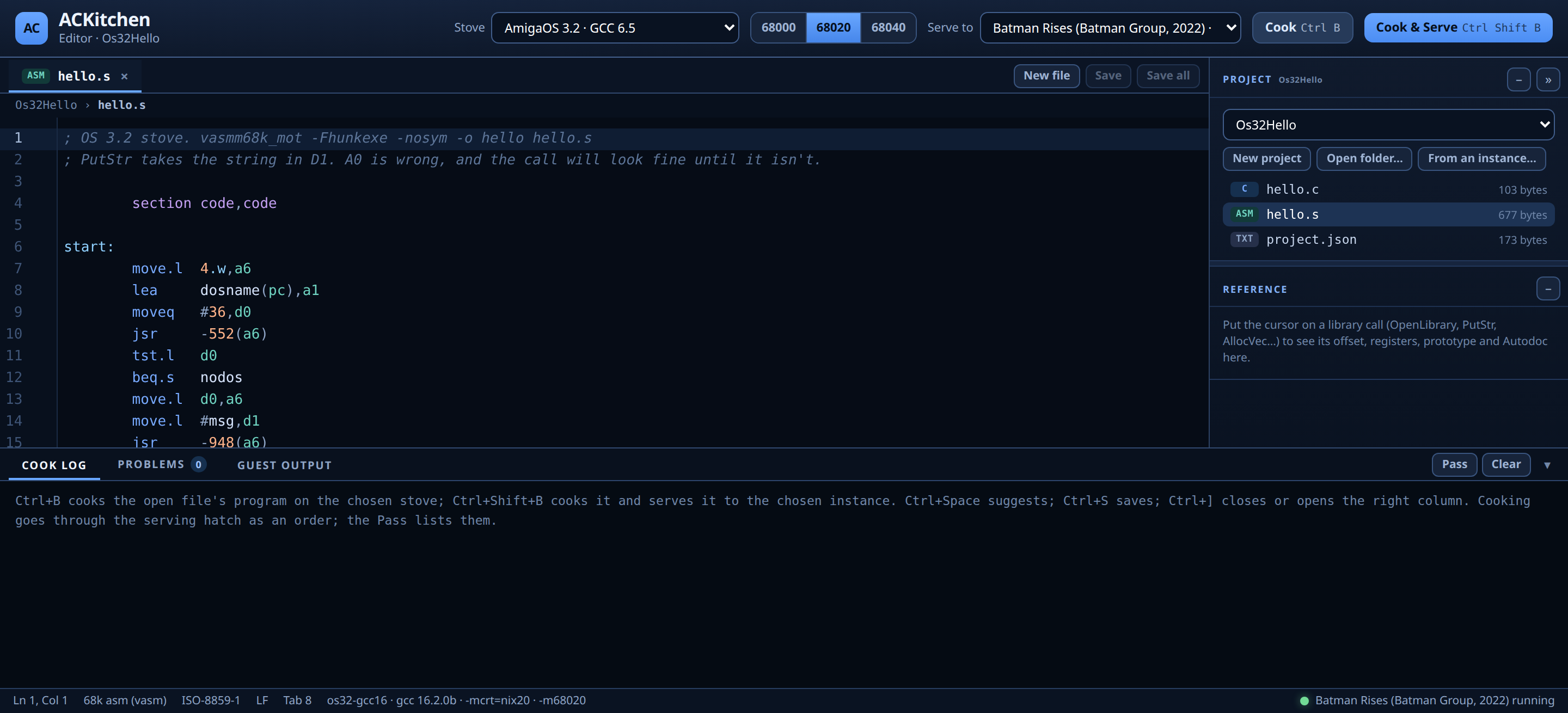
Prepare recipes, select toolchains, write programs, cook builds, serve outputs into an Amiga instance and review results without switching between unrelated environments.
Host folder-backed disks and media repositories avoid treating every hard disk as an opaque HDF. ADF floppies and ISO optical media live in managed roots; guest filesystem and autoboot work has its own qualification gates.
Local and remote tabs, LAN discovery, instance lifecycle controls and host identity make multi-computer labs possible. Portable whole-machine migration is a separately planned capability.
Build managed appliance cards for supported Raspberry Pi pathways and prepare PiStorm configurations. Each board needs its own boot and hardware validation; a completed image alone is not that proof.
Docker showed developers the value of declared environments, repeatability and isolation. Cradle applies those ideas to complete Amiga systems. This is an analogy between workflows, not a claim of container compatibility.
A container shares the host's kernel. A Cradle instance is a complete emulated Amiga, with its own CPU, chipset and ROM choices, AmigaOS and disks.
Folder-backed disks stay with their machine. Current snapshots protect stopped DH0 disks, not live CPU/RAM state.
Cradle can prepare appliance cards for supported targets, including Raspberry Pi; PiStorm hardware qualification is a separate gate.
Cradle and Docker, side by side: all seven principles, from recipes to Open-family devices bridging the host, in Featured.
Docker is a trademark of Docker, Inc. Docker and AmigaChrome are independent projects; Cradle does not run Docker images as AmigaOS machines. Host build jobs may use a containerised toolchain where configured, but the guest Amiga remains a complete guest environment.
Cradle is the repeatable testbed behind the Team's OpenUp, OpenGPU, OpenAudio, AC090 and game-porting work. Instead of rebuilding a precious Workbench every time something breaks, keep a known test target and a visible trail from source to guest behaviour.
Pick the OS, CPU, graphics, media and libraries needed for a useful test. Keep your personal instance separate.
Open a project, select a supported stove and compile. Source, output and toolchain choice stay visible.
Send the built artifact to a named instance rather than reinstalling it manually into each Workbench.
Use the guest display, screenshots, diagnostics and logs to see what actually happened.
Keep the evidence, update the affected tool or program and try again against a known configuration.
Keep office, browser, printing and media tests isolated, with real AmigaOS files and configurable guest devices.
Try a program across graphics, controller and memory setups without changing the home machine someone actually uses.
Record firmware, device, runtime and build provenance when diagnosing AC090, storage, networking and graphics changes.
Cradle's appliance builder turns a configured environment into a target card image. The goal is an Amiga that powers up straight into its own world—from a small Raspberry Pi setup to future physical-A1200 integration—without first navigating a Linux desktop.
Raspberry Pi build and test paths exist in the engineering programme. PiStorm appliance cards have been produced, but actual A1200 hardware operation must be demonstrated before it is advertised as validated.
See the wider hardware strategy ↗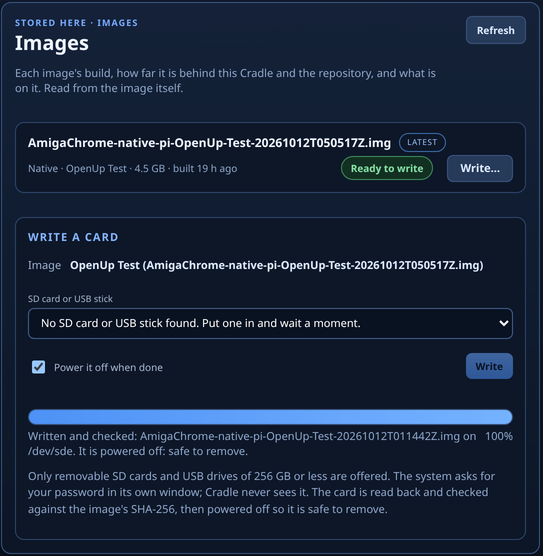
Cradle is under active development. These are the capabilities shown in the current development work, alongside the parts of the vision that still require implementation or physical-world tests.
Cradle doesn't package an Amiga as a Linux container and it doesn't add a Docker engine to AmigaOS. It applies similar ideas—recipe-led environments, isolation and repeatable workflows—to fully represented Amiga machines.
Not yet. Current Cradle snapshots preserve the stopped instance's DH0 system disk, with scheduling and protective restores. Full CPU/RAM/device-state capture for resumable whole-instance checkpoints is on the roadmap and has harder consistency requirements.
Cradle has local/remote discovery and management paths, but a portable, fully restorable whole-machine export and live migration require further engineering. Recipes help reproduce configuration; they are not themselves guarantees of identical disk contents.
Its value today is isolating environments and bringing together build, deploy, guest observation, snapshots and reports. Automated repeatable test matrices and formal release gates are a development goal; every project still needs an actual guest run and evidence before being called qualified.
AmigaChrome's original platform code is MIT-licensed in its repository. Third-party OS components, ROMs, games and compiler tools keep their own licences. Cradle doesn't redistribute commercial AmigaOS ROMs or software merely because it can manage a machine that uses them.
One familiar Amiga for the day. A few more to test a new game, restore a disk, build an application or investigate tomorrow's hardware. Cradle makes each environment visible—and brings the community's development work together.

